
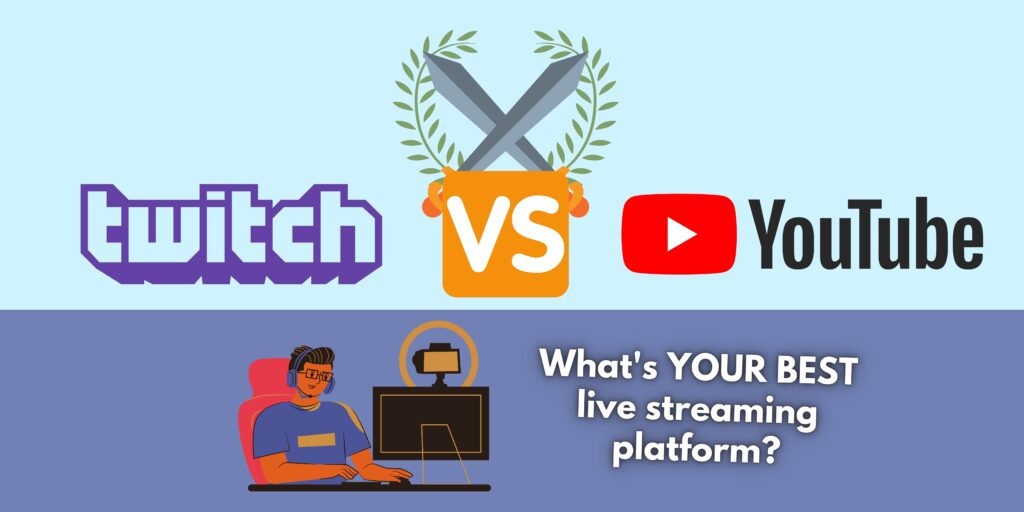
The battle of Twitch vs YouTube. It is something a lot of streamers have to deal with. Which one is a better streaming platform for you? Maybe Twitch seems the way to go for you. After all, isn’t Twitch purely created for live streaming? But if you want to stream, YouTube Live is a great option as well.
Is YouTube or Twitch better for streaming? To answer this, I want to dive into your personal preferences and goals. Together, we will find out which platform is best for you. I’ve done all the research necessary for you to make your choice!
Are you ready? Or do you want tea or coffee? Grab it, and then dive in with me.
Do You Also Want To Create Videos?
This first heading is meant to give you a quick idea about which platform is best. But there’s a lot more to consider, so keep reading if you want to make a decision which you support 100%!
Firstly: Would you like to create videos as well? Maybe you don’t like video editing, and you prefer to only be live, and interact with your audience. Then you should probably aim for Twitch.
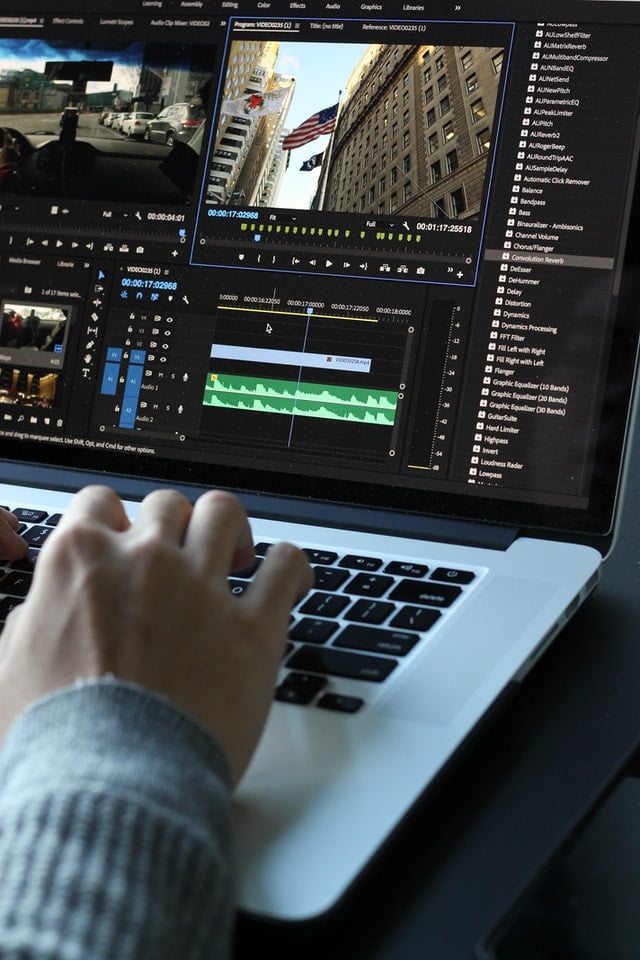
But if you'd like to create videos as well, more than live streaming, then choosing YouTube as a platform might be a better option. This way, you can create videos 60% of the time, and stream 40% of the time, for example.
Twitch vs YouTube: Videos On YouTube Stay Forever
On YouTube, you can decide to upload recorded videos or parts of your live stream too. And once you have streamed with YouTube Live, your stream will be on your channel forever. On Twitch, the longest period your stream can be saved for is 60 days – IF you are a Twitch partner, Prime user, or when you purchased Twitch Turbo.
Of course, this is a very quick way to decide which platform is best for you. But it will give you a general idea of for which purpose you should use which platform. If you’d like to create videos as well, you could also decide to use both platforms, of course. Twitch for live streaming, and YouTube for videos.
To summarize: If you also want to edit and upload videos, YouTube could be a better platform. You can, of course, also use Twitch for live streaming and YouTube for videos. Know that on Twitch, you can save your past broadcasts for 14 days, and for 60 days when you're a Twitch Partner, Prime user, or when you purchased Twitch Turbo. On YouTube, your broadcasts will stay forever.
The Power Of The Search Engine
From Twitch vs YouTube, only YouTube is a search engine. It is the second-largest search engine in the world – after Google! Twitch is more like a streaming platform, which doesn’t have a smart search engine like YouTube. The top live channels shown on Twitch are those that have the highest amount of viewers. This means that if you have only a few viewers, you will appear almost at the bottom of the page.
How I see the way Twitch works, is:
People are scrolling through the results of channels, trying to find an interesting channel to watch. Your channel will be ONLY shown when you are live. And even then, people have to ‘’accidentally’’ click on you. Or maybe your profile picture and the title is attractive enough so it makes them click.
Anyway, I hope you get the point that Twitch only gives you the chance to be seen, by being out there. By being live, within a certain category. On YouTube, your content is out there 24/7 to be found. People can find you whilst you sleep. That's a big diffference of Twitch vs YouTube.
YouTube shows people content depending on what they search. So if your content is exactly what they’re looking for, you will likely be shown in their results. Maybe not directly on the first page (when you’re a small channel), but chances are high that they will spot you quickly.
To summarize: YouTube makes it easier for your content to be found, especially if you just started with streaming. YouTube is a search engine that tries to match the search term with the exact content. On Twitch, there’s a bias towards channels with high amounts of viewers, unfortunately. If you have a higher viewer count than the rest, you will appear on top.

Twitch vs YouTube: Customization
What can you do when it comes to customization? How can you make yourself stand out with Twitch vs YouTube, and make people click on you? I think it's best to split this part into customization OUTSIDE of the stream and INSIDE the stream.
Outside The Stream
First of all, YouTube can create a thumbnail once you have verified your account (which is very easy, btw). With an attractive thumbnail, you can catch people’s attention and make them click on you. Twitch doesn’t have that. It creates your own ‘thumbnail’ depending on what you’re streaming, which is a picture of you and the game you’re playing. Fingers crossed it’s a good picture, lol.
When you stream on Twitch, you can make your stream look more inviting by creating interesting or attractive titles. On YouTube too, of course. But what matters more on YouTube is that people get what they search for. If you want to be found as a small streamer, you'll need ''Warzone'' (game name) in your title instead of ''This will be awesome…''. As long as you choose the right category on Twitch, you can go crazy with your titles.
Inside The Stream
But once you’re IN the stream, Twitch has more customization options. In other words: YouTube has more customization options for your stream to be found, whereas Twitch has more room for customization and different things to happen within the stream.
You will notice this already when we talk about things like the Twitch hype train, which will kick off when a lot of viewers show support to a streamer in a short time. Also, viewers can earn channel points by watching your stream. You can decide how much they can earn, and how much they can spend – on what. By making personal rewards like 'dance' or 'drink water' or 'change the lighting in your room' you can make your stream interesting and more interactive to viewers.

In Twitch, you can also give your chat options to entertain themselves through gambling with loyalty points from StreamElements, for example. Or use Twitch Extensions to let your viewers choose the music, make polls, or let them play minigames. YouTube doesn’t have all these kinds of extensions and widgets. It is much more simple compared to Twitch in this matter. How are the custom emojis on Twitch vs YouTube? Both platforms can have custom emojis nowadays. And the opportunity to let something appear on stream when a viewer pays money. More about that later!
To summarize: YouTube makes it possible to customize your thumbnail, so you can make your stream look more attractive outside of the stream. When it comes to inside the stream, Twitch has more different possibilities to customize it. You can go as wild as you like.
Twitch vs YouTube: Monetization
What are the different ways to earn money on Twitch vs YouTube? Which platform is best for you, depends on your personal goals and preferences. Let’s first start with Twitch. Twitch is easier to START earning money. You can do this once you reach Twitch affiliate, and therefore you need an average of 3 viewers, 500 minutes of broadcasting over 7 days, and 50 followers. And you can get this pretty fast, especially when you follow my tips on how to increase your Twitch following.
For YouTube, you need at least 1000 subs and 4000 hours of watch time in the past 12 months. This is a lot harder to achieve. But once you achieved this, you can start earning money on YouTube too. Because then you will be a YouTube partner.
Once you are Twitch Affiliate, people can subscribe to your channel, donate money to you, and give you bits. As you can see, there are many different ways to earn money. But how does it all work? Let’s go over them one by one.

Twitch Subscribers
You can earn money on Twitch when people subscribe to your channel. They can subscribe for free with Twitch Prime, or subscribe for $4.99, $9.99, or $24.99. How much money will you get? Twitch will take 50% of the amount of money that’s paid for the subscription. So this is one of the ways how Twitch earns money, hah.
Anyway, what benefit is there for subscribers? Earlier, people could watch streams ad-free by subscribing with prime. This is no longer true, as Twitch wanted to support streamers better. However, Twitch Partners can still enable ad-free viewing (for subscribers) if they choose so.
Other benefits of subscribers are a custom subscriber badge that changes (depending on how long someone is subscribed) that will be visible in chat, and they will have access to your custom emotes to use in your chat or everywhere else on Twitch.
Every year, Twitch announces ‘’SUBtember’’ which gives viewers the chance to subscribe to channels with a discount. This year, Twitch gave a discount of 20% so it is more affordable for people to support their favorite streamers.

Twitch Donations
Let’s move to the next possibility: Twitch donations! In contrast to subscriptions, Twitch won’t take a piece of the profit from donations. This means that 100% of the money goes to you. However, it's less reliable than subscriptions or bits. Why? People who donate could have an option to ask for getting their money back. This can lead to disappointments. You once receive money, but a few months later it's gone.
This happened quite a lot in the past with PayPal, as donations aren’t included in the terms of PayPal’s Seller Protection. As described there: ‘’The item must be a physical, tangible good that can be shipped.’’ Twitch donations don’t meet this requirement, as these are digital or virtual items. Make sure that your viewers stand firmly behind their decision to donate. You can say things in your panel (description) like: ‘’All donations are non-refundable. Make sure you truly want to donate to me.’’

What can happen though, is that someone has sent too much money to you. It is not unlikely to think that you can type an extra number by mistake. When this happens, don’t be unkind or too greedy. When your viewer kindly explains this mistake to you, you can offer them to give a part of their money back. After all, you want to keep your reputation. And do you want to keep money from someone who doesn't like it?
Twitch Bits
How much money can you earn with Twitch Bits? When someone donates bits to you, you will receive the full amount of bits. Twitch takes about 30% when someone purchases bits. So Twitch doesn’t take a part away from the streamer. And also: the more bits someone buys, the less Twitch can take from it. Buying a lot of bits at the same time is, therefore, a better deal.
How much is one bit worth for the streamer? About $0.01. So for 100 bits, the streamer will receive $1. And the cost of 100 bits is $1.40.
So as you can see, when you donate with bits, the streamer gets less money than what you paid for it.
So Why Use Bits Instead of Donations?
Well, viewers will get some benefits by donating bits. With bits, your viewers can ‘’cheer’’ in your stream. A message could appear on the screen. And donators of bits also get special emotes, badges, and they could be on leaderboards for being the top bit contributors. Streamers also could have a leaderboard of the top donators. So it comes down to personal preference.
Also, when you want to donate money to a streamer, the streamer needs to have this enabled with a payment method. Especially streamers who just started, could probably not have set this up. Therefore, bits are a better way to donate. You can always donate bits!
And another reason why viewers prefer to donate with bits is that they can spread this out over multiple channels or periods. This way, it can feel like they can make more people happy for a smaller sum of money. And I get that. Streamers always love it when they get bits.

YouTube Sub… Membership
YouTube memberships… something that wasn’t there before! Did you know it was there? It has been in beta for some time, but now YouTube creators with over 30,000 subscribers can offer paid memberships to their viewers. ‘’Subscription’’ means something different for YouTube. As you know, you can subscribe for free to someone’s channel.
What a subscription means for Twitch, is called a membership for YouTube. There are up to 5 membership levels to choose from. The higher the level, the more benefits, and perks (but also for a higher price). So subscribing on Twitch vs YouTube can happen on both platforms.
When you offer memberships to your viewers, you can make exclusive videos or community posts for them. And also have an exclusive live chat, live streams especially for them, etc. You'll need to give them at least 1 extra benefit (with a maximum of 5).
Besides, when people are premium subscribers of YouTube a.k.a. YouTube Premium, you will automatically receive a part of their subscription costs (when you are a YouTube partner).

Custom Membership Tiers!
Also, on YouTube, you can build your own member tiers. What does that mean? That you can choose your own channel perks and prices! You can charge anywhere between $0.99 to $99.99 for any level of membership that you want. That’s much more than the maximum Twitch limit, which is $24.99.
A good thing: YouTube takes 30% of the membership revenue. Remember that Twitch took 50% of subscriptions? So you’ll keep more money from a YouTube membership! Unless you’re a big streamer, then you could negotiate for more favorable percentages.
No Community Gifting
What you can’t do with YouTube subs, is community gifting. You can’t gift subs to others, which you can with Twitch. Streamers on Twitch are earning lots of extra money from this. It would be nice to see this on YouTube in the future.
YouTube Super Chat
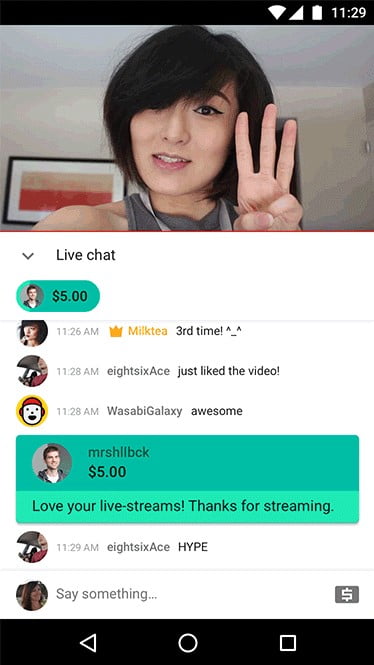
You can compare YouTube Super Chat with Twitch Bits. With Super Chat, you can pin comments or stickers to the live stream when you pay for it. No joke, some channels earn $500 per minute with YouTube Super Chat. How much does YouTube take from you? YouTube takes about 30% of your profit from Super Chat – so the same with subs… ahem, memberships!
YouTube Shorts
YouTube shorts are extremely new. What are YouTube shorts? The same idea as Instagram stories and LinkedIn stories, for example. It's not something you can directly earn money with, but I still want to mention it. Because every month, YouTube informs thousands of creators that they are eligible for getting a Short bonus from their Shorts fund (which is $100 million!). This can make it worth creating shorts.
You don't need to be a YouTube partner to qualify or to have a channel that has monetization enabled. YouTube says: ''Channels need to have uploaded at least one eligible Short in the last 180 days.'' And even if you don't earn money with it, YouTube Shorts is a serious growth hack right now. YouTube rewards channels that upload shorts with huge traffic. Worth trying it out.
Twitch vs YouTube: Merchandise
Another way to earn money on both Twitch and YouTube is with merchandise. There are many print-on-demand platforms out there that make you able to sell merchandise. What is print-on-demand? This means exactly what it says. Once people buy your products, they will be made and shipped to your fans.
Great print-on-demand platforms are Teespring, which is completely free, or Shopify, which lets you run a store at $29 per month.
Once your YouTube channel is eligible, you will spot a ‘merchandise’ tab under ‘monetization’. This allows you to turn on a merch shelf on your channel and videos, and you can link your official merchandise store to your YouTube channel. Then, fans can watch official merchandise from your brand and buy this.
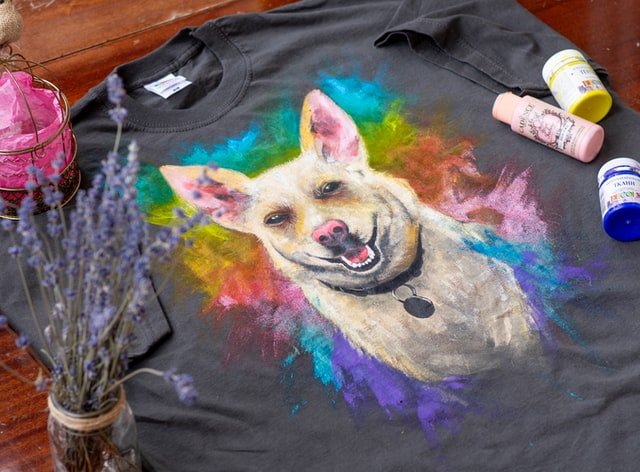
Anyhow, you can still sell merchandise in your description for example if you’re a smaller creator on YouTube. This doesn’t give you the fancy merch shelf, but it makes it still possible! On Twitch, it is very easy. You can promote your merch in your panels, in your streams, and so on. Twitch even has special extensions to sell merchandise.
Twitch vs YouTube: Ads
And last but not least, we have ads! On both Twitch and YouTube, you can earn money with these display ads, overlay ads, and video ads. Now, what's the difference? On Twitch, once you reach Affiliate, you can turn on ads. They play right before and during your stream. How much you will earn from ads on Twitch, fluctuates between $0.25 - $1.50 per 1,000 views.
Ads work the same way on YouTube. They get displayed before people watch the video, or during the video. However, you can earn way more with ads on YouTube if you are YouTube Partner. YouTube pays around $18 per ad view, which will be between $3 – $5 per 1,000 views! Also, on YouTube, people can come and watch your videos 24/7, and therefore your ads can run 24/7. Which is a huge plus.
Twitch vs YouTube Monetization Summary
To summarize: Twitch is easier to start making money. It also has more options to earn money. You only need to be a Twitch affiliate which you can reach quite fast: 50 followers, an average of 3 viewers, and 500 minutes of broadcasting over 7 days. On YouTube, requirements to apply for monetization are 1,000 subscribers and 4,000 hours of watch time within the past 12 months.
Twitch vs YouTube: Rules
This is an interesting one. On Twitch, it can be scary to cross the borders. Because on Twitch, you could get banned without a warning in the first place. On YouTube, you’ll get a few warnings before they strike you or take down your channel. So you still have a chance to ‘regroup’ yourself, fix your mistakes, and save your channel.
Do you know Timthetatman? He’s a famous COD and Warzone streamer, who recently switched from streaming on Twitch to streaming on YouTube live. One of the reasons for this was that he couldn't play with one of his friends anymore because he was banned. Twitch is owned by Amazon, and YouTube is owned by Google. So the way they handle these things is very different!
Twitch vs YouTube: Quality
This could be an interesting difference for you too. Do you care about streaming in high quality? On YouTube, all streamers get full transcoding options. This means that you can offer your viewer to watch the stream in the highest quality, even if you’re a small streamer.
On Twitch, you'll need to be a Partner streamer to access quality options for your channel. With these quality options, your viewers can adjust the quality of your broadcast. So they can change it to Full HD, for example. When you're not a Twitch Partner, your viewers could not change the resolution, and therefore they could get lower quality – even if you're streaming at 1080p.
Sometimes, unpartnered streamers on Twitch can stream on high quality, but this is when Twitch has extra slots available in off-peak hours. Especially during high-traffic events, Twitch has a lower uptime. So when you want to stream on high quality, or even 4K, with a higher bitrate: YouTube is better (especially when you’re not a Twitch Partner).

Verdict: Which Platform Is Best For Live Streaming?
I think it all boils down to your current situation. Let me help you figure it out!
Are you a brand new streamer? Or a small streamer?
Then I suggest you stream a couple of times on both platforms to see which one you like better.
Overall, YouTube is better for new and smaller streamers to be found. YouTube is a search engine that matches the search term with the content. Even if you don't have a big channel or just a few subscribers, YouTube could place your content in front of people so it’s easier for you to grow. Twitch mainly shows channels with the highest viewer count. And you have to be live to be found. On YouTube, your videos can be found 24/7 and they'll last forever.
The bias on Twitch to the highest viewer count can also be a benefit, though. If you get hosted or raided by a big streamer, you will be at the top in no time. Sometimes, big streamers decide to raid a small streamer. It's so awesome that that happens. And you never know when!
But, Twitch makes it easier for you to start earning money. Reaching Twitch Affiliate is easier than reaching Twitch Partner. On Twitch, you also have more customization options. You can go wild with how you want your stream to look like, and what you want to offer your viewers.
Are you already partnered with Twitch, not active on YouTube, and do you have a high viewer count (compared to the rest within the category)?
Then stream on Twitch. Because your audience is already there on Twitch. Your channel already has a decent viewer count so it makes you stand out from the other channels. There’s no point in leaving Twitch for YouTube Live, only if you’d REALLY like to and to grow your YouTube channel actively.
There are also big streamers who switched from Twitch to YouTube. As long as you’re clear to your audience where you are live, it will be fine. Also, it could be that you switched to another category or game. Your audience might not like it, or your viewer count is nothing there compared to other broadcasters. As you know, the viewer count of top channels of certain categories can be higher than the category where you might have been at the top in the first place.
Do you have an established following on YouTube, and are you not active on Twitch?
Then stream on YouTube. 100%. Why? Because your audience IS on YouTube. There is no point in switching to Twitch. Unless you want all those extra features that YouTube doesn’t have, like hosting or raiding another channel (to support someone else), the use of Twitch extensions or widgets, and so on.
Twitch is just a different atmosphere. It is the largest live streaming platform in the world. So it is true that when you’re in this situation, streaming on Twitch is actually not a bad idea. Because you could find a new audience. There are always viewers who stick to their favorite platform (in this case, Twitch). It will be easy for you to stand out, as you could bring your YouTube audience over to Twitch. So if you’d like to, you could stream on both platforms.
I hope you have some useful information now! Then I reached my goal.
If you did, please leave a comment. I’d love to hear from you and I’ll make sure to respond.
Stay blessed,
Musicella
Streaming costs you lots of energy, so you might like this!
Nothing is more annoying as a streamer when you don’t feel the energy to entertain, talk, or interact with your audience. You want to prevent that ‘radio’ silence, because people can jump in your stream every second. Their first impression will be formed within a few seconds.
If you’re someone who likes to have an effective boost of energy, you should check out Rogue Energy. Their energy drinks are a healthy & effective alternative for gamers! No chalkiness too. Which is a problem with many other gaming energy drinks. You can read more about Rogue Energy’s benefits in my blog.
Looking for an outstanding YouTube channel name?
Then you absolutely should check out this article: https://musicellatv.com/gaming-names-for-youtube-channel/ I made a lot of unique, creative gaming names that aren’t taken yet. So have look, maybe something is interesting for you. Be the first who claims it!
Other interesting articles: